I have a subflow that returns a list of text outputs. The subflow runs perfectly with no errors, however, when it sends its outputs into a Google Sheets Writer node, I receive this error:
“‘Google Sheets Writer’ node could not be run! Missing input ‘Prompts’, did not receive a value. Please double check your node connections.”
I can’t figure out why the reader node is missing inputs from the subflow, when the subflow is running with no issue.
hey @Peter_Czepiga, The issue here comes from how your subflow handles branching. Your Router node only sends data through one path at a time, but the Combine List node requires inputs from both paths before it can produce an output. Since only one branch ever runs, the Combine List never completes, so the subflow outputs nothing – leading the Google Sheets Writer to report a missing “Prompts” input.
The solution is to replace the Combine List node with a Join Paths node. Join Paths node can merge 2 execution paths even when only one branch runs, making it compatible with Router behavior inside a subflow. After switching to Join Paths, your subflow will output correctly and the Google Sheets Writer will receive the input it expects.
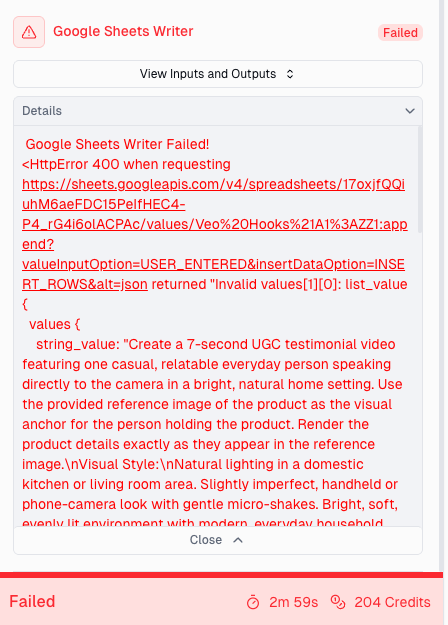
Thank you for the help! When I switch the subflow node to Join Paths, however, I now receive the attached error message in the Google Sheets Writer node.
The issue here is that your Subflow is outputting a list of lists, which is then being passed to the Google Sheets Writer node. Currently, the Google Sheets Writer only supports a flat list – not nested lists.
If you check your Subflow, you’ll notice that the Split Text node outputs a list, but your Output node is set to “text.”
The easiest fix is to move the Google Sheets Writer node inside your Subflow. That way, the Writer directly handles each list element as it loops through, and you avoid the nested list issue entirely.
Please try placing the Google Sheets Writer inside the Subflow and this should resolve the error.